It’s 3 p.m. on a Tuesday, and you’ve spent the better part of five hours staring at a grid of pixelated faces. Your eyes burn, your focus is fraying at the edges, and you’ve developed a peculiar habit of staring at your own reflection in the corner of the screen rather than listening to the person speaking. This is the reality for millions of professionals today—a phenomenon widely recognized as "Zoom fatigue" or digital exhaustion.
While the hybrid work era promised flexibility, it inadvertently tethered us to a medium that demands more from our brains than it gives back. We are constantly scanning for social cues that aren't quite there, struggling with audio delays, and feeling the psychological weight of being "on camera." Research indicates that approximately 60% of remote workers report feeling physically and mentally drained by frequent video conferences. It isn't just about the number of meetings; it’s about the quality of the interaction.
The Rising Toll of 'Zoom Fatigue' in the Hybrid Era
Digital fatigue is more than a buzzword; it is a cognitive tax we pay every time we log onto a standard video call. When we meet in person, our brains process a symphony of nonverbal cues—leaning in, subtle eye movements, and spatial presence—with minimal effort. In the digital realm, that symphony becomes a cacophony of glitches. We experience "attention drift," where the mind wanders because the flat, 2D representation of a colleague fails to trigger the same social engagement as a physical presence.
The symptoms are pervasive: persistent eye strain, tension headaches, and a profound sense of "meeting dread." The core of the problem lies in the fact that current hybrid work collaboration technology often emphasizes the delivery of data over the connection between humans. We’ve optimized for bandwidth, but we’ve neglected the soul of the conversation.
Why Traditional Video Calls Drain Our Brains
To understand why we feel so exhausted, we have to look at the psychological mechanics of the screen. Stanford researchers have identified several key drivers of this fatigue, most notably "nonverbal overload." In a traditional video call, the amount of eye contact we engage in is unnaturally high. On a screen, everyone is looking at everyone all the time—a situation that, in the physical world, usually signals either a threat or intense intimacy. Our brains are perpetually in a high-alert state.
Then there is the "mirror effect." Imagine if a waiter followed you around a restaurant holding a mirror in front of your face while you tried to have dinner with a friend. That is exactly what the self-view tile does. We become hyper-aware of our own expressions, posture, and lighting, adding a layer of performance anxiety to every discussion. Finally, there is the cognitive load of "off-axis" cameras. When you look at the screen to see your colleague, you aren't looking at the camera. When you look at the camera to show eye contact, you can't see your colleague. This constant misalignment forces the brain to work 25% harder just to parse social intent.
Introducing Steelcase Ocular View: The Extended Reality Solution
This is where the paradigm shifts. To solve the fatigue crisis, the technology has to fade away, leaving only the human connection behind. To answer the problem of digital distance, Steelcase and Logitech collaborated on a revolutionary concept that has evolved from a prototype known as "Project Ghost" into a sophisticated reality.
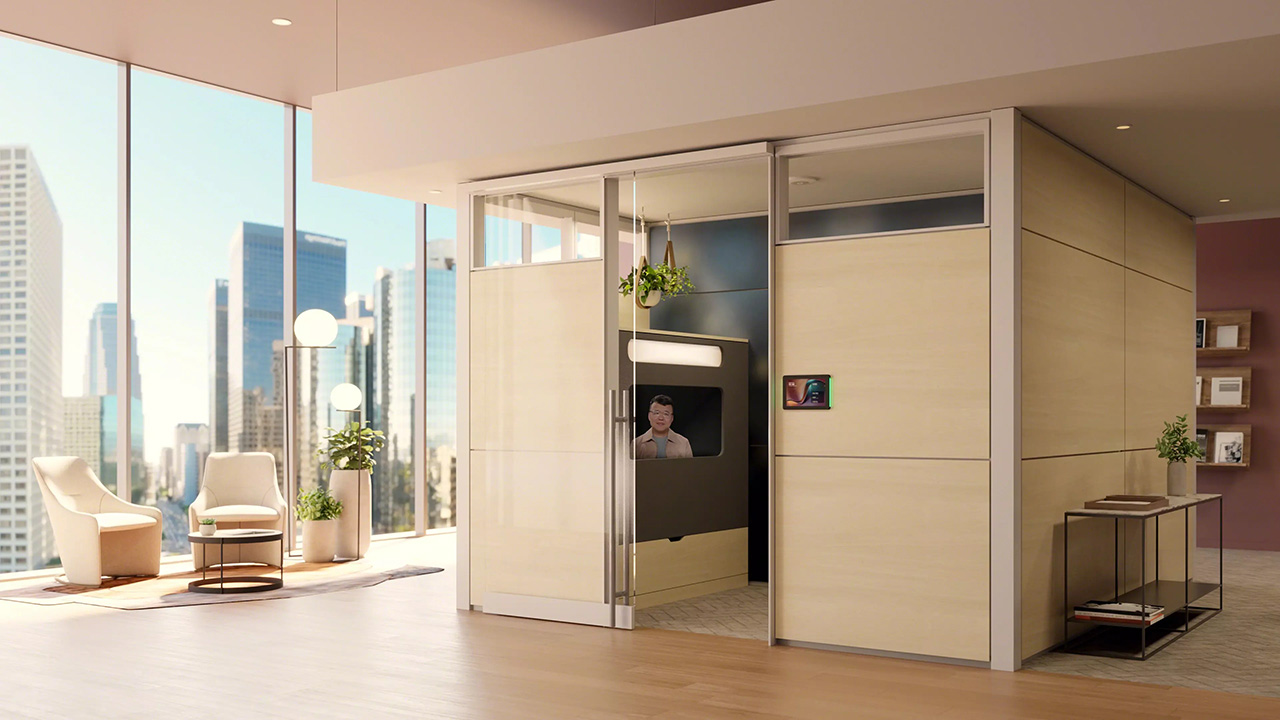
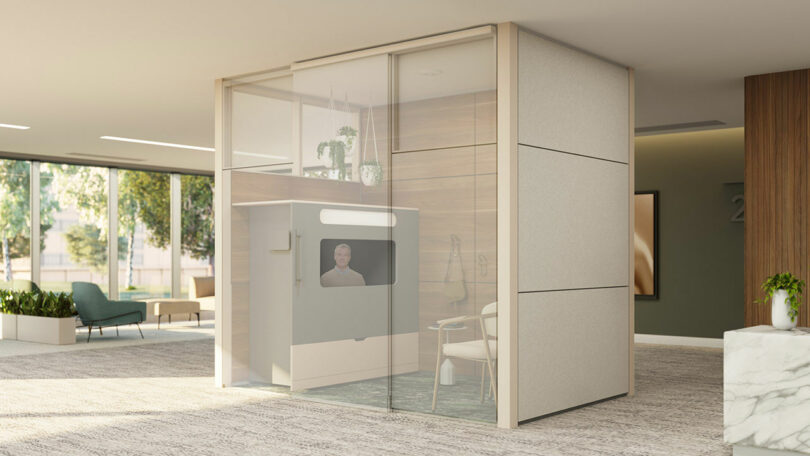
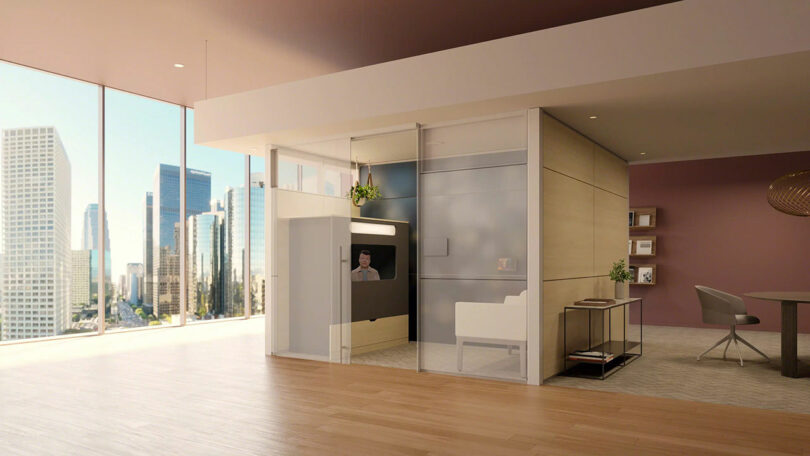
Ocular View is an extended reality meeting pod co-developed by Steelcase and Logitech, designed to simulate face-to-face interactions by using life-size rendering and direct eye-to-eye perspective. It isn't just a booth with a screen; it is a meticulously engineered "miniature lounge" that utilizes acoustic privacy and architectural integration to create a sense of true presence.
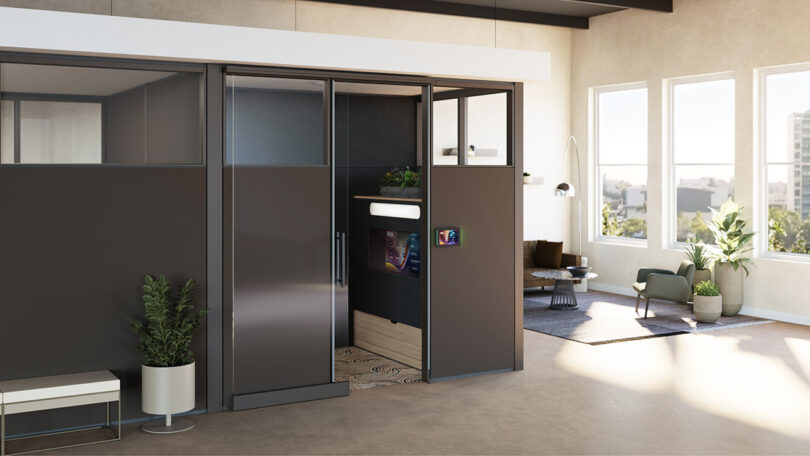
The design philosophy behind Ocular View is simple: humanizing video conferencing. By housing the technology within an Everwall acoustic enclosure, Steelcase has created a sanctuary where the distractions of the open office disappear, allowing the participant to focus entirely on the person on the other side of the glass.
How Ocular View Humanizes the Virtual Experience
Ocular View combats digital fatigue by removing technology distractions and background noise, allowing participants to engage in a "human-to-human" way that mirrors in-person presence. The "extended reality" aspect isn't about VR headsets or digital avatars; it’s about using hardware to extend the feeling of physical reality into the digital space.
The first breakthrough is life-size rendering. In a standard call, your CEO might appear as a three-inch box on a laptop. In Ocular View, they appear at a natural, human scale. This depth of field removes the "small box" claustrophobia and triggers the brain’s social recognition pathways, making the interaction feel significant and "real."
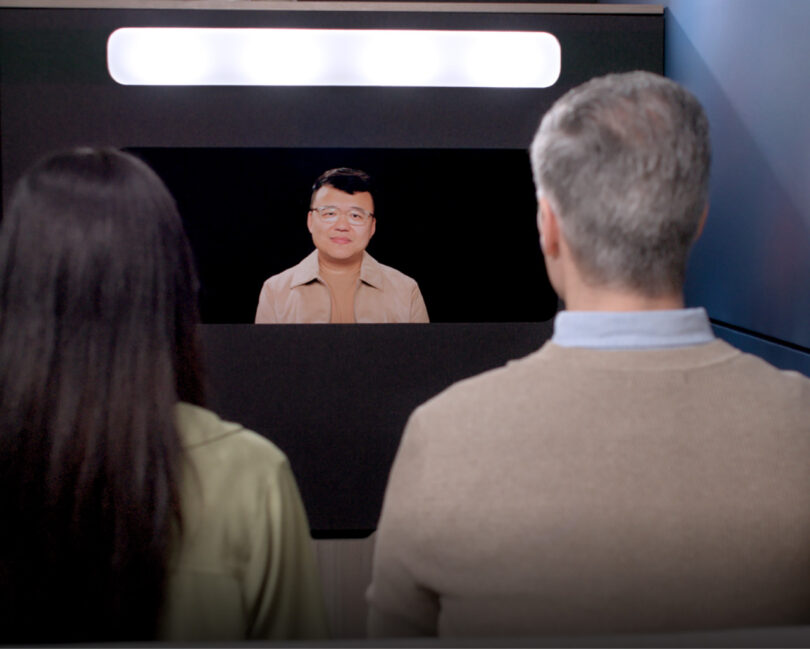
The second, and perhaps most critical feature, is the eye-to-eye perspective. Unlike standard webcams perched at the top of a monitor, Ocular View aligns sight lines at a direct level. Through a clever use of semi-transparent glass and positioned cameras, you can look directly into the eyes of your collaborator while seeing their face clearly. This eliminates the "downward gaze" or "forehead stare" common in traditional setups.
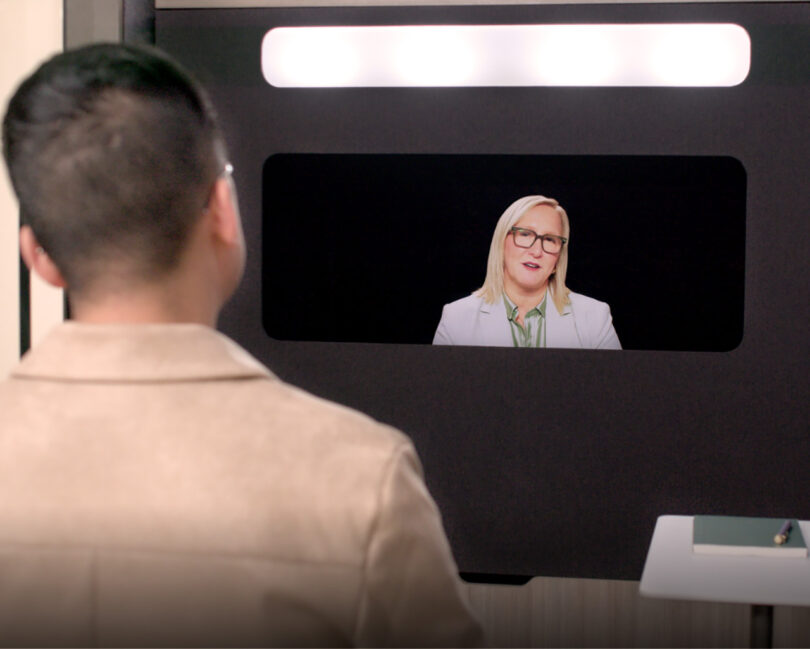
Comparing the Interaction: Standard vs. Ocular View
| Feature | Standard Webcam Setup | Steelcase Ocular View |
|---|---|---|
| Eye Contact | Off-axis (looking at screen vs. camera) | Direct, 1:1 eye-to-eye alignment |
| Participant Scale | Miniature "tiles" | Life-size, 1:1 human rendering |
| Visual Environment | Distracting background/Self-view | Neutral, immersive lounge environment |
| Cognitive Load | High (constant decoding of cues) | Low (natural social processing) |
| Privacy | Low (susceptible to office noise) | High (integrated acoustic enclosure) |
The Data-Driven Impact on Meeting Performance
The benefits of humanizing these interactions are not just anecdotal; they are backed by significant research. When we align technology with human biology, the results are measurable.
- Cognitive Relief: Research indicates that eye-to-eye alignment in virtual meetings can reduce cognitive processing strain by approximately 25% compared to traditional off-axis camera setups. When the brain doesn't have to "calculate" where someone is looking, it can spend more energy on the actual content of the meeting.
- Engagement Boost: Switching to immersive video environments like Ocular View can improve meeting engagement levels by 40%. By eliminating the peripheral office distractions and the 'self-view' mirror effect, participants stay present in the conversation longer without feeling the urge to multi-task.
The interior of the Ocular View pod is specifically designed to eliminate the "mirror effect." There is no distracting self-view window constantly reminding you of your own appearance. Instead, the lighting is professionally tuned to make you look your best automatically, allowing you to forget about the camera and focus on the collaborator.
5 Complementary Strategies to Combat Screen Fatigue
While high-end solutions like Ocular View solve the structural issues of video conferencing, a holistic approach to employee wellbeing is essential for a healthy hybrid work culture.
- Default to Shorter Blocks: Instead of the standard 30 or 60-minute meeting, set your calendar to 25 or 50 minutes. This creates a "transition buffer" that allows the brain to reset and the body to stretch between calls.
- Implement 'Camera-Optional' Blocks: Not every meeting requires a visual connection. For internal status updates or routine syncs, give the team permission to go audio-only. This "visual fast" reduces the pressure of nonverbal performance.
- Use Data Analytics: Tools like Worklytics can help organizations monitor meeting overload. If data shows a specific team is spending 80% of their day on video calls, it’s a clear signal to intervene before burnout occurs.
- Incorporate Movement: For one-on-one "catch-ups," suggest a walking meeting. Even if you are both remote, taking the call on mobile while walking outdoors can significantly boost creativity and lower cortisol levels.
- Audit Your Basics: If an Ocular View pod isn't available for every call, ensure your standard setup has high-quality audio and soft, front-facing lighting. Straining to hear or see someone is a major contributor to sensory exhaustion.
Editor’s Tip: "The goal of workplace technology shouldn't be to see how much we can digitize, but how much we can humanize. When the tool becomes invisible, the connection becomes real." — Alex Morgan
FAQ
How does Ocular View differ from a high-end telepresence room? While traditional telepresence rooms require large, dedicated boardroom spaces and complex setups, Ocular View is a compact, self-contained pod. It is designed for individual or small-scale intimate "human-to-human" interactions, making it easier to integrate into existing open-office floor plans.
Does Ocular View work with standard platforms like Zoom or Microsoft Teams? Yes. While the hardware is a collaboration between Steelcase and Logitech, it is designed to be compatible with the video conferencing software your organization already uses. The magic lies in how the hardware renders the feed, not in a proprietary software platform.
Is it difficult to install an Ocular View pod in an existing office? Because Ocular View utilizes Steelcase’s Everwall architectural system, it is designed for relatively simple integration. It acts more like furniture than a permanent construction project, allowing companies to pivot their office layout as their hybrid needs evolve.
Reclaiming the Human Connection
As we look toward the future of work, the challenge isn't finding ways to avoid video calls—it's finding ways to make them worth our time and energy. Digital fatigue is a symptom of a mismatch between our biological needs and our technological tools.
By investing in solutions like the Steelcase Ocular View, organizations are doing more than just buying a "meeting pod." They are making a statement that employee focus, mental energy, and genuine human connection are the most valuable assets in the building. When we allow the technology to fade into the background, we finally leave room for the conversation to take center stage.