Imagine this: the sun has just dipped below the horizon, the fire pit is crackling, and you’ve got a bowl of popcorn ready. In the past, this is where the stress would begin—scrounging for a 50-foot extension cord, hunting for a flat table that’s just the right height, and struggling with a streaming stick that won’t quite reach the Wi-Fi.
The new XGIMI MoGo 4 series changes that narrative entirely. As someone who has spent years testing smart home ecosystems, I’ve seen portable projectors evolve from dim, glorified toys into legitimate cinema-grade devices. With the MoGo 4 and MoGo 4 Laser, XGIMI has finally addressed the "holy trinity" of outdoor projection: true battery-powered portability, effortless setup, and native app support.
To answer the most pressing question upfront: Does the XGIMI MoGo 4 have a built-in battery? Yes. The MoGo 4 series is the first in its lineup to feature an internal 71.28 Wh battery, providing up to 2.5 hours of runtime in Eco mode. This effectively cuts the cord on your entertainment, making "anywhere" a viable theater.
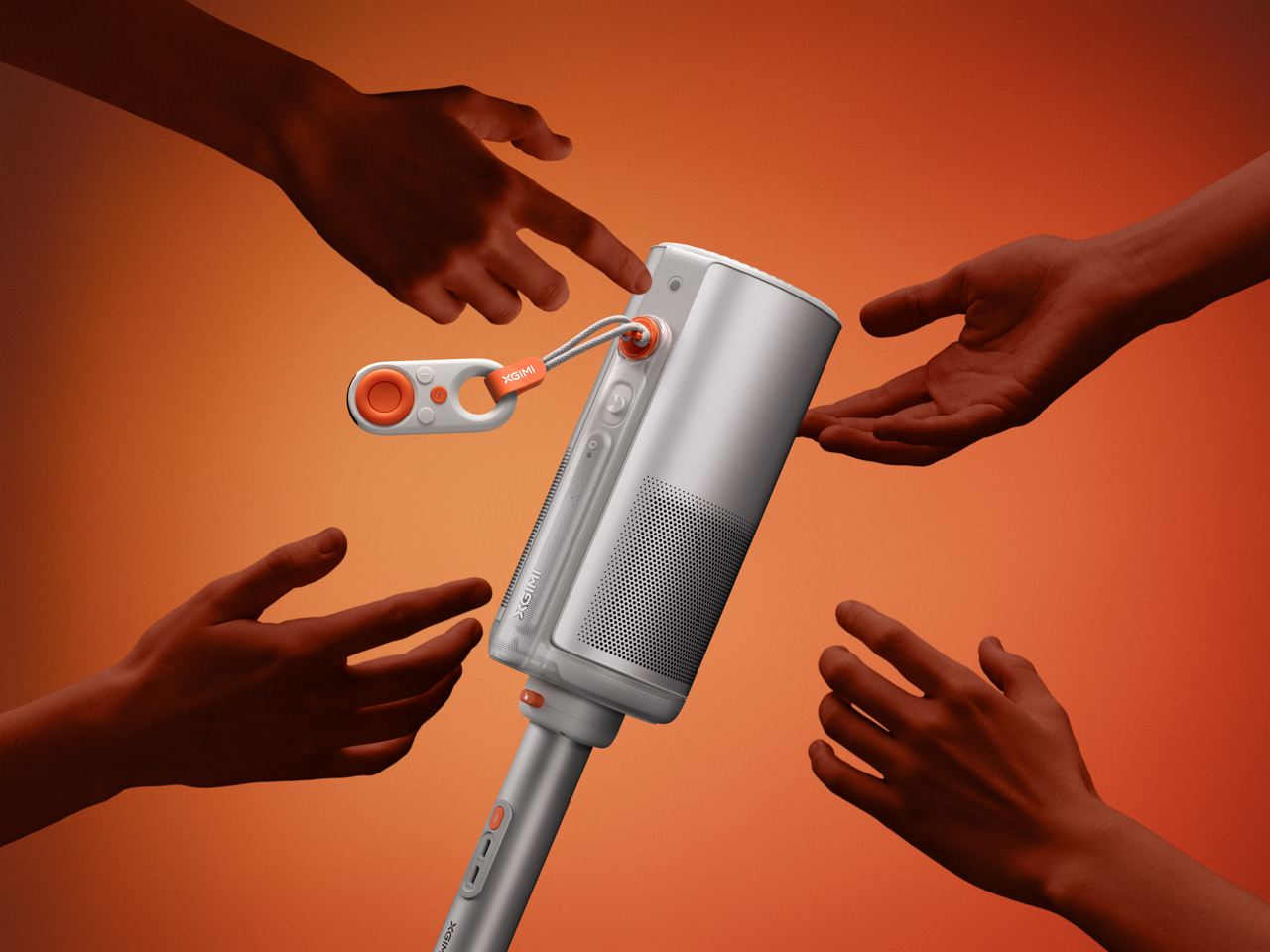
Here are the 7 standout features that make the XGIMI MoGo 4 the ultimate companion for your next outdoor movie night.
1. True Wireless Freedom: The Built-in Battery
For years, the MoGo line was "portable" only if you had a power bank or an outlet nearby. The MoGo 3 Pro required a constant power source, which often felt like a tether. The MoGo 4 breaks those chains with its integrated 71.28 Wh battery.
While the headline figure is 2.5 hours of runtime, it’s important to understand the trade-offs for that longevity. Switching the MoGo 4 to Eco mode to hit that 2.5-hour mark results in an approximate 40% reduction in image brightness. For a typical 90-minute indie film, you can likely stay in a brighter mode, but for those Marvel marathons, Eco mode is your best friend.
Noah’s Pro Tip: If you’re planning an epic double-feature in the woods, look into the XGIMI PowerBase Stand. It effectively doubles your session time to 5 hours, ensuring you don't lose power right as the climax begins.

2. 360-Degree Integrated Gimbal Stand
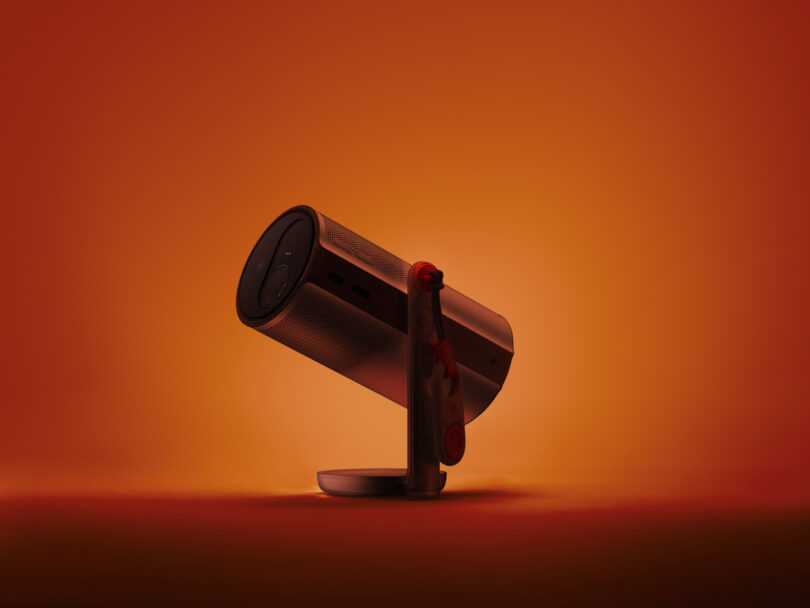
One of the most frustrating parts of outdoor projection is uneven ground. Whether you're on a grassy lawn or a rocky campsite, getting a level image used to involve stacking books or adjusting tripod legs. The MoGo 4 solves this with an integrated gimbal stand that offers 180-degree vertical swivel and 360-degree horizontal rotation.
This isn't just about leveling the image; it’s about versatility. Want to project a movie onto the side of your camper? Easy. Want to lie back in your tent and project a starry sky onto the ceiling? Just tilt the head up. The hardware feels premium and holds its position firmly, which is a massive upgrade over the flimsy tilt-stands found on cheaper competitors.
3. Laser vs. LED: Choosing Your Brightness
XGIMI offers two distinct flavors for this generation, and the choice depends on how much you value "pop" in your image.
- The MoGo 4 (LED): This model uses a traditional LED light source, delivering 450 ISO lumens. It covers 90% of the DCI-P3 color gamut, making it a fantastic, affordable entry point for casual family movie nights.
- The MoGo 4 Laser (RGB Laser): This is the flagship. By using RGB Laser technology, it bumps the brightness up to 550 ISO lumens in Performance mode. More importantly, it achieves a stunning 110% of the BT.2020 color gamut.
What is the difference between the MoGo 4 and MoGo 4 Laser? Beyond the price, it comes down to color depth and peak brightness. The Laser model handles ambient light better and provides "cinematic depth" that LED models struggle to match. However, keep in mind that even the Laser model’s brightness will dip to between 350 and 404 lumens in "Movie Mode" to maintain color accuracy—so wait for dusk to get the best results.
4. Intelligent Screen Adaptation (ISA) 2.0
As a smart home editor, I value "setup simplicity" above all else. ISA 2.0 is XGIMI’s suite of automated tools that makes the MoGo 4 nearly "zero-touch." The moment you move the projector, it triggers:
- Uninterrupted Auto Keystone: It corrects the rectangular shape of the image even if you're projecting at an angle, and it does so without displaying those distracting calibration patterns.
- Auto Focus: Ensuring the image stays crisp and sharp.
- Intelligent Eye Protection: This is a lifesaver for parents. If a child or a dog wanders in front of the lens, the projector instantly dims the light source to prevent eye strain or damage.
5. Google TV with Native Netflix Support
Historically, XGIMI users had to jump through hoops to get Netflix working—usually involving side-loading apps or using external dongles. The MoGo 4 series finally integrates Google TV with native, licensed Netflix support.
This means you get the full, polished Netflix interface alongside YouTube, Disney+, and Prime Video right out of the box. The interface is fluid, responsive, and easy to navigate with the included Bluetooth remote. Additionally, XGIMI has included the "XGIMI Wall" app, which offers ambient visuals like mesmerizing nebulas or underwater scenes, perfect for setting the mood before the movie starts.
6. Magnetic Creative Filters & Ambient Light Mode
The MoGo 4 isn't just a movie machine; it's a "vibe creator." XGIMI has introduced a creative hardware element: magnetic filters. The standard MoGo 4 comes with a Sunset Filter that snaps onto the lens, transforming the light into a warm, golden-hour glow that can fill a room or a tent.
When you aren't watching content, you can use "Ambient Light Mode." Combined with the gesture-controlled Ripple and Dreamscape filters (available as accessories), the projector becomes a piece of digital art. It’s a clever way to ensure the device remains useful even when you’re just hanging out and talking.

7. Connectivity Upgrade: Full-Size HDMI & Low Latency
One of the biggest complaints about the previous MoGo 2 was the Micro HDMI port, which required annoying adapters. Can I connect gaming consoles to the XGIMI MoGo 4? Yes. The MoGo 4 includes a full-size HDMI port, making it compatible with standard cables for your PS5, Xbox, or Nintendo Switch.
For the gamers out there, the MoGo 4 is surprisingly capable. In Game Mode, it boasts an input lag of just 22.1ms at 1080p/60Hz. While it won’t replace a high-end gaming monitor, it’s more than fast enough for a round of Mario Kart or FC 25 under the stars. Sound is handled by dual 6W Harman Kardon speakers, which provide enough punch to cover a small backyard area without needing external speakers.
Comparison Summary: MoGo 4 vs. MoGo 4 Laser
| Feature | MoGo 4 (LED) | MoGo 4 Laser |
|---|---|---|
| Light Source | LED | RGB Laser |
| Brightness | 450 ISO Lumens | 550 ISO Lumens |
| Color Gamut | 90% DCI-P3 | 110% BT.2020 |
| Resolution | 1080p | 1080p |
| Battery Life | 2.5 Hours (Eco) | 2.5 Hours (Eco) |
| Speaker | 2 x 6W Harman Kardon | 2 x 6W Harman Kardon |
| Connectivity | Full-size HDMI, USB-C | Full-size HDMI, USB-C |
FAQ
Q: Can I charge the MoGo 4 with a power bank? A: Yes! Because the MoGo 4 uses a USB-C power input, you can use a PD (Power Delivery) compatible power bank (65W or higher recommended) to extend your viewing time indefinitely.
Q: Is the MoGo 4 waterproof for outdoor use? A: No, the MoGo 4 is not water or dust resistant. While it is perfect for outdoor movie nights, you should always bring it inside after use and avoid using it in damp or rainy conditions.
Q: Does it support 4K content? A: The MoGo 4 has a native resolution of 1080p, but it can decode 4K input content via HDMI or streaming apps, downscaling it to 1080p for a very sharp, high-bitrate image.

Final Thoughts: The Ultimate Portable Vibe
The XGIMI MoGo 4 series represents a significant leap forward for portable entertainment. By combining a built-in battery with a versatile gimbal stand and native Netflix support, XGIMI has removed almost every barrier to entry for the perfect outdoor movie night. Whether you opt for the budget-friendly LED version or the color-rich Laser model, you're getting a device that is as much about the experience as it is about the specs.
Ready to cut the cord and start your backyard cinema journey? The MoGo 4 is waiting to light up your next adventure.