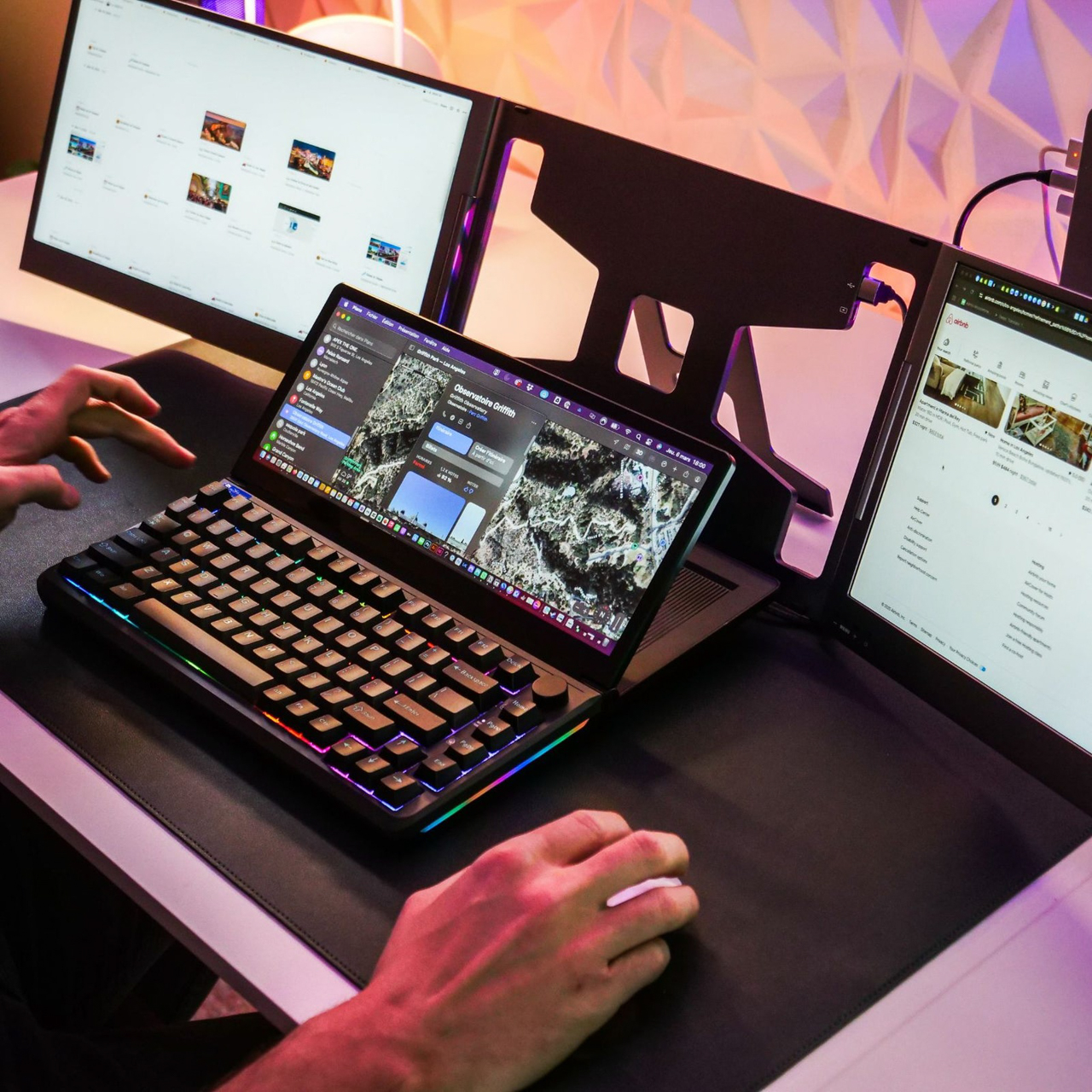
Think about the "Alt-Tab" dance you perform fifty times an hour. You’re deep in a spreadsheet, but you need to check a Slack message. You’re editing a video, but you want to skip a track on Spotify. For years, the solution has been adding more monitors—bolting extra glass onto our desks until we’re surrounded by a literal wall of pixels. But what if the solution wasn't out there on the periphery, but right beneath your fingertips?
The Aura KeyView 13-inch Touch is a bold attempt to rethink the most stagnant peripheral on your desk: the keyboard. It is a premium mechanical keyboard featuring an integrated 13-inch foldable touchscreen with a 1920x720 resolution, designed specifically for power users who crave a more streamlined, multitasking-friendly workspace. At $399, it’s a significant investment, but it promises to replace your cluttered dual-monitor setup with a singular, high-tech hub.
The Display: 13 Inches of Secondary Real Estate
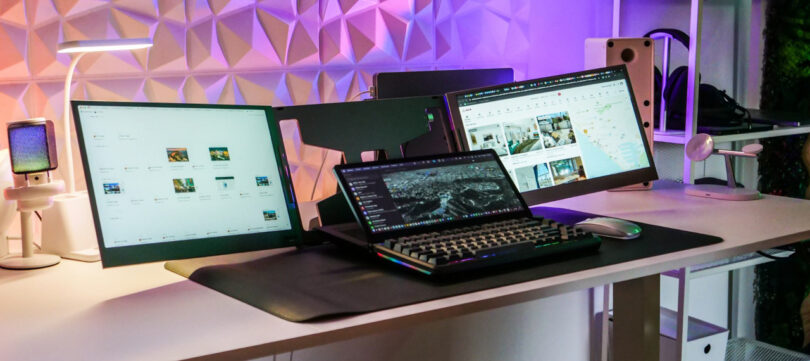
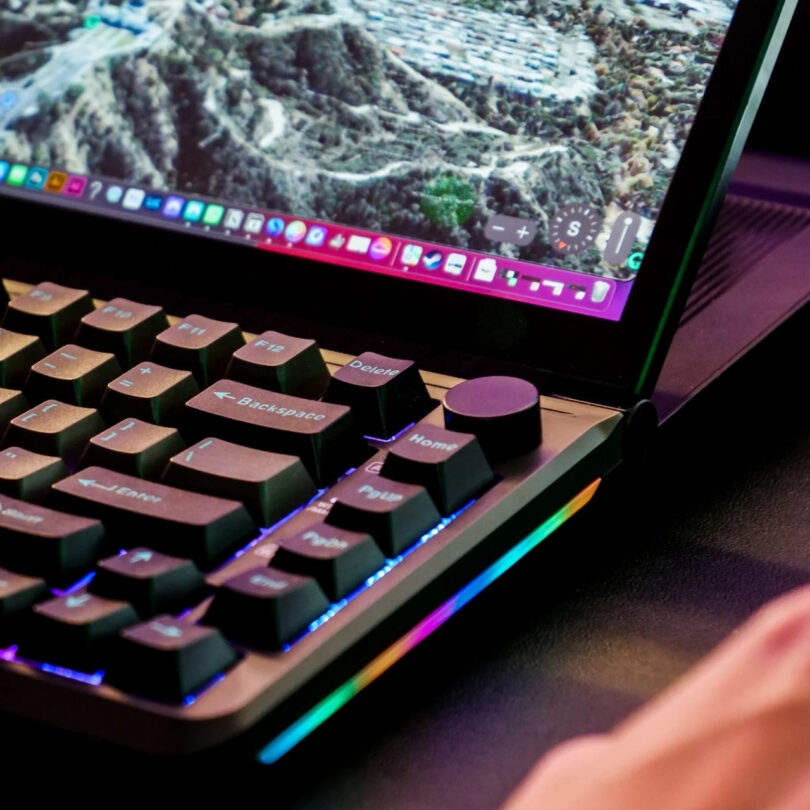
When we talk about "smart home" or "smart office" design, we’re usually talking about efficiency. The Aura KeyView delivers this by placing approximately 1.38 million pixels of secondary screen real estate directly on the keyboard deck. This isn't just a tiny status bar like the ill-fated MacBook Pro Touch Bar; this is a fully functional, Windows-recognized secondary monitor.
The 1920x720 resolution creates an ultra-wide, short aspect ratio that is surprisingly perfect for the "glance-and-act" style of multitasking. Because the screen features a matte finish, it handles overhead office lighting remarkably well, minimizing the glare that often plagues glossy portable monitors.
Noah’s Pro Tip: The real magic lies in the adjustable hinge. With a tilt range of 0 to 90 degrees, you can angle the display to match your eye line or lay it completely flat. Our testing suggests this integration can reduce your total desk footprint by up to 40% compared to using a traditional separate 13-inch portable monitor on a stand.
Feature Highlight: Screen Specifications
| Feature | Specification |
|---|---|
| Panel Size | 13.3 Inches |
| Resolution | 1920 x 720 (HD+) |
| Touch Support | 10-point multi-touch |
| Brightness | 300 nits (Adjustable) |
| Surface | Anti-glare Matte Coating |
The Typing Experience: Mechanical Soul
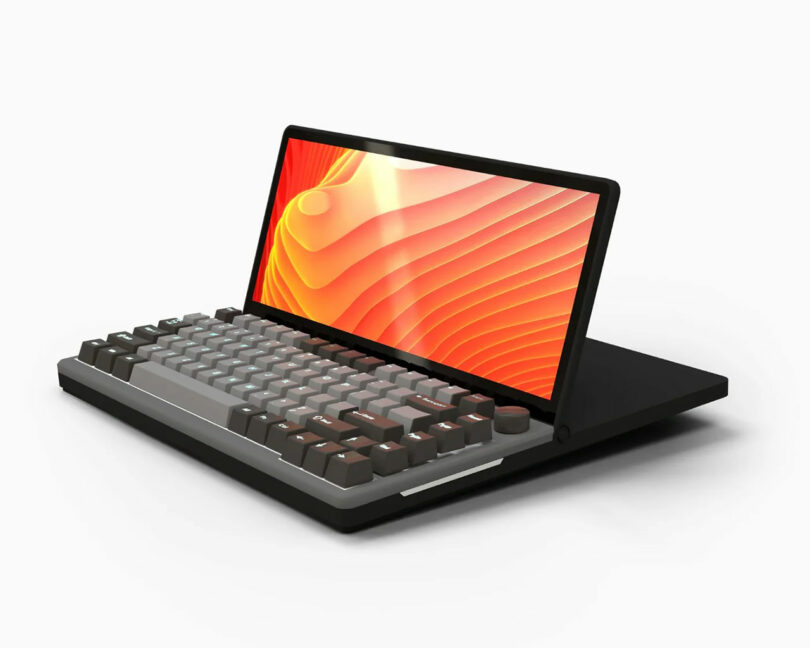
As an editor who spends eight hours a day typing, I’ve seen many "gimmick" keyboards sacrifice the actual typing experience for the sake of a flashy feature. Thankfully, the Aura KeyView doesn't fall into that trap. Underneath the vibrant display lies a legitimate enthusiast-grade mechanical keyboard.
The unit comes equipped with yellow mechanical switches. These are linear switches, meaning they provide a smooth, consistent keystroke without the "clicky" noise of blue switches or the tactile "bump" of browns. They are incredibly quiet, making them ideal for shared office spaces or late-night deep-work sessions.
Perhaps most importantly for the longevity-minded buyer, the PCB is hot-swappable. If you decide you prefer the thole of a Gateron Oil King or the tactile snap of a Holy Panda, you can swap the switches out without ever touching a soldering iron. This level of customization ensures that the $399 price tag isn't just for a screen, but for a piece of hardware that can evolve with your preferences.
Pros & Cons: Aura KeyView 13-Inch Touch
| Pros | Cons |
|---|---|
| Integrated 13" touchscreen reduces desk clutter | Requires high-power USB-C or dual-cable setup |
| Hot-swappable switches for ultimate customization | No built-in trackpad (external mouse required) |
| Exceptional build quality with a sturdy metal hinge | Price point is high ($399) |
| Full RGB customization via on-board controls | Widescreen aspect ratio requires app scaling adjustments |
Productivity in Practice: The Second Monitor on Your Deck
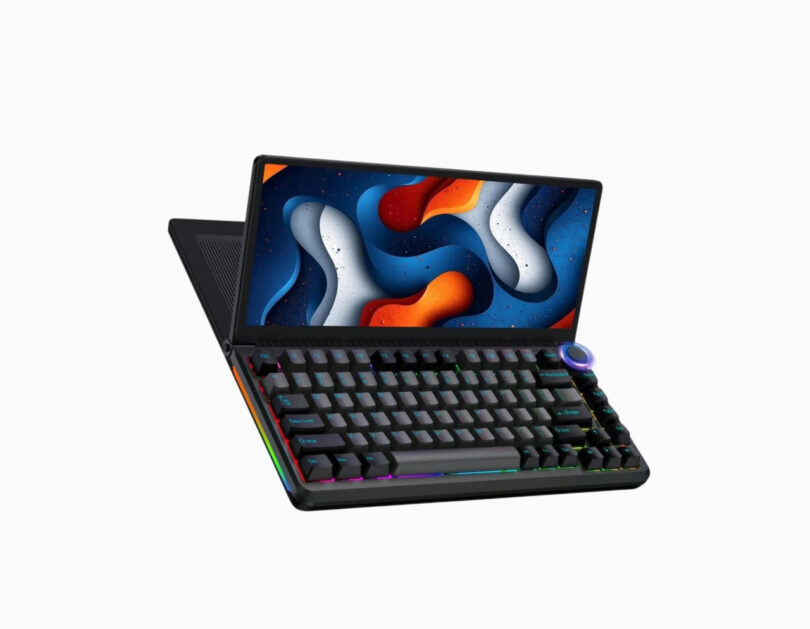
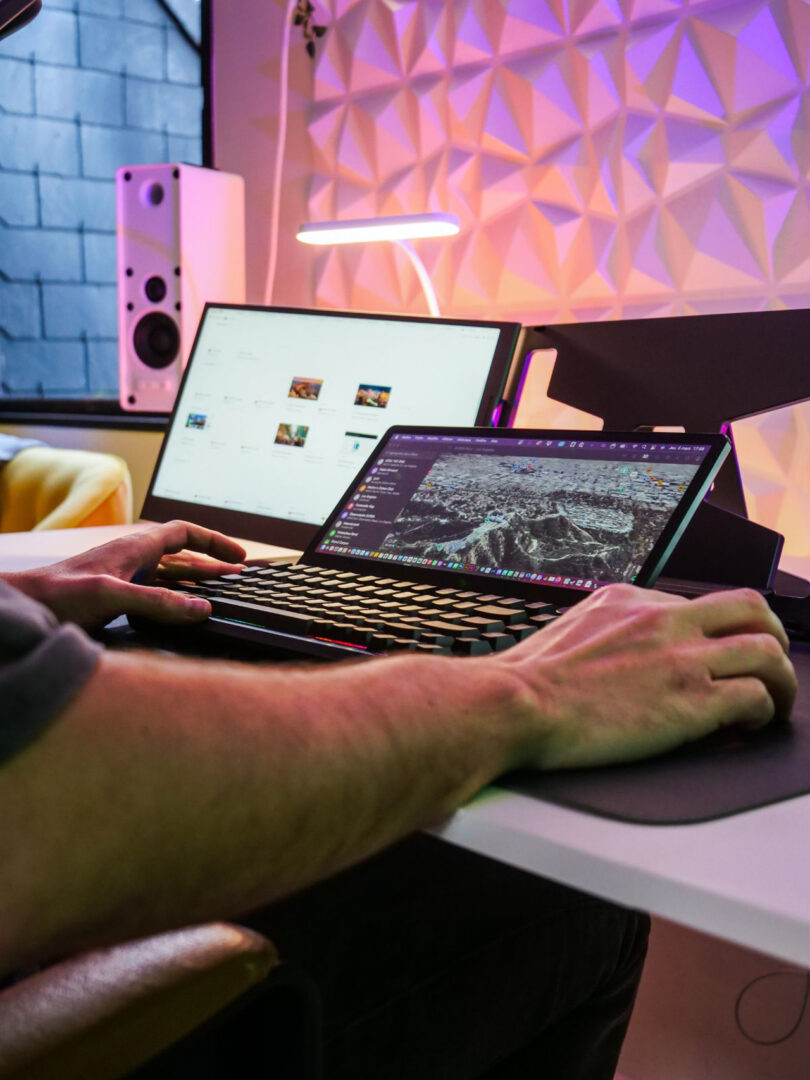
In a productivity desk setup 2025, the goal is "context persistence." You want your primary work on your big monitor, and your "supporting" apps always visible below.
During our week of testing, the Aura KeyView excelled in several specific scenarios:
- Communications Hub: Keeping Slack or Microsoft Teams permanently docked on the keyboard screen allows you to see incoming messages without interrupting your primary workflow.
- The Creative Console: In Adobe Premiere or Photoshop, we moved the timeline and toolbars to the KeyView screen. This cleared up the main monitor for a full-screen preview of the project.
- System Monitoring: For enthusiasts and gamers, running AIDA64 or HWInfo on the keyboard display provides real-time stats on CPU temperature, RAM usage, and frame rates.
- Audio Control: Managing Spotify or Apple Music via the touchscreen interface feels much more natural than using a mouse to find the "Next" button in a minimized window.
The connectivity suite is surprisingly robust. It features USB-C (which supports video, data, and power over a single cable if your laptop provides enough wattage), an HDMI port for older systems, and extra USB-A ports for your mouse or flash drives. This makes it a versatile companion for both Windows and Mac ecosystems, though Windows users will find the touch-interface scaling slightly more intuitive.
The Trade-offs: What to Consider Before Buying
No piece of technology is perfect, especially one that tries to combine two disparate categories. The most glaring omission is the lack of a built-in trackpad. While the screen is touch-sensitive, navigating a traditional OS with just your fingers can be precise-work-prohibitive. You will still need a dedicated mouse sitting to the right of this fairly wide keyboard.
Furthermore, let’s talk power. Driving 1.38 million pixels and a full array of RGB mechanical switches requires significant juice. If you are running this off a laptop, expect your battery to drain significantly faster. In most desktop setups, you’ll want to use the included dual-head cable to ensure the screen doesn't flicker during high-brightness usage.
Finally, there is the learning curve. Because the screen sits lower than a traditional monitor, you have to train your neck to look down rather than side-to-side. For some, this is an ergonomic dream; for others, it may take a few days of adjustment to avoid "tech-neck."
Final Verdict: Who Should Buy the Aura KeyView?
The Aura KeyView 13-inch Touch is not just a keyboard; it’s a statement piece for the modern workspace. It represents the pinnacle of the integrated second monitor keyboard trend we’ve seen emerging in 2025.
It is ideal for three types of users:
- The Space-Saver: If you live in a studio apartment or work from a small desk where a second monitor simply won't fit, this is your solution.
- The Creative Professional: If your workflow involves countless toolbars, timelines, and palettes, moving them to your fingertips is a game-changer.
- The Aesthetics-Obsessed Creator: If you want a "clean" desk setup that looks like it's from a sci-fi film, the KeyView is the undisputed king of desk-setup-porn.
While the $399 price tag is steep, the build quality and the sheer utility of having a 13-inch touchscreen directly integrated into a high-end mechanical board make it a justifiable luxury for those who live behind their screens.
FAQ
1. Does the Aura KeyView work with macOS? Yes, it functions as an external display and a standard keyboard on macOS. However, due to how Apple handles touch inputs on external screens, you may need third-party drivers (like UPDD) to get full multi-touch gestures working exactly like a Mac trackpad.
2. Can I change the keycaps on the Aura KeyView? Absolutely. The keyboard uses standard cross-stem (MX-style) switches, meaning almost any aftermarket keycap set will fit. This is great for users who want to customize the look to match their desk aesthetic.
3. Does it require special software to run the screen? No. To your computer, the Aura KeyView looks like a standard HDMI/DisplayPort monitor and a standard USB keyboard. No proprietary "bloatware" is required to get the basic display and typing functions working.
Ready to Upgrade Your Workflow?
If you're tired of the cluttered dual-monitor life and ready to embrace a more integrated, tactile way of working, the Aura KeyView is the most polished option on the market today. It’s time to stop Alt-Tabbing and start touching your workflow.